
Create API Key
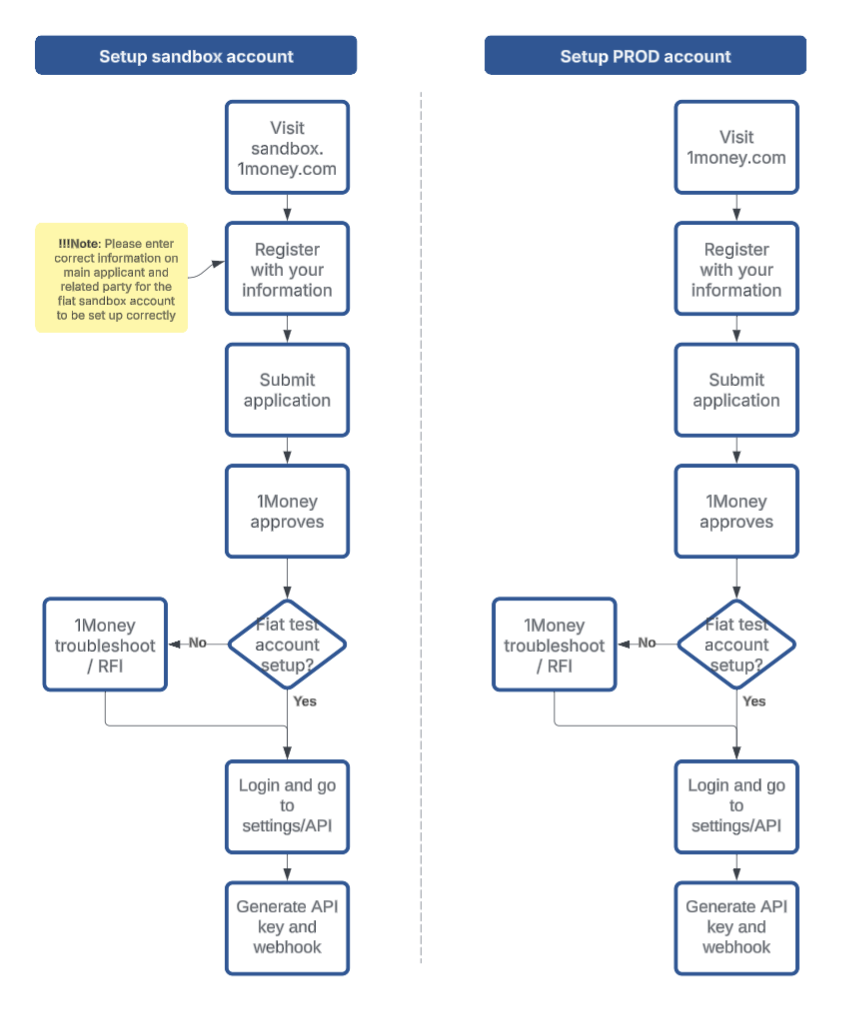
Step 1: Create a 1Money Account
If you haven’t registered yet, sign up in sandbox environment for free developer account.
Note that you need to go through the full KYB process in both the staging and production environment and get the account approved before you can log-in.
API environments
Separate environments for development and production are available.
| Environment | Endpoints Location | Process |
|---|---|---|
| Sandbox | https://api.sandbox.1money.com/ |
|
| Production | https://api.1money.com/ |
|
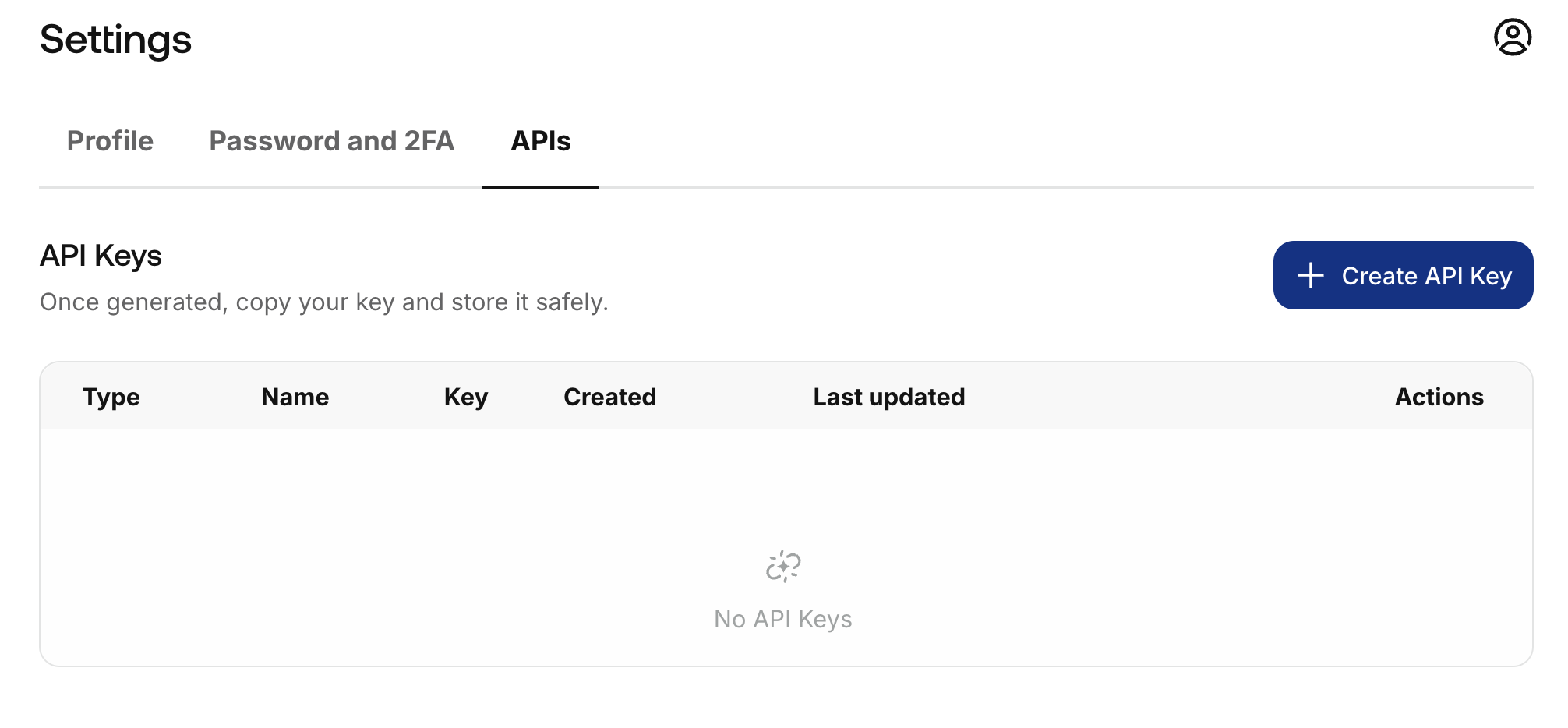
Step 2: Navigate to API Settings
After Log in, go to the settings , click on "APIs".
You can access Settings from the bottom left corner gear icon or the top right profile icon.
Step 3: Create a New API Key
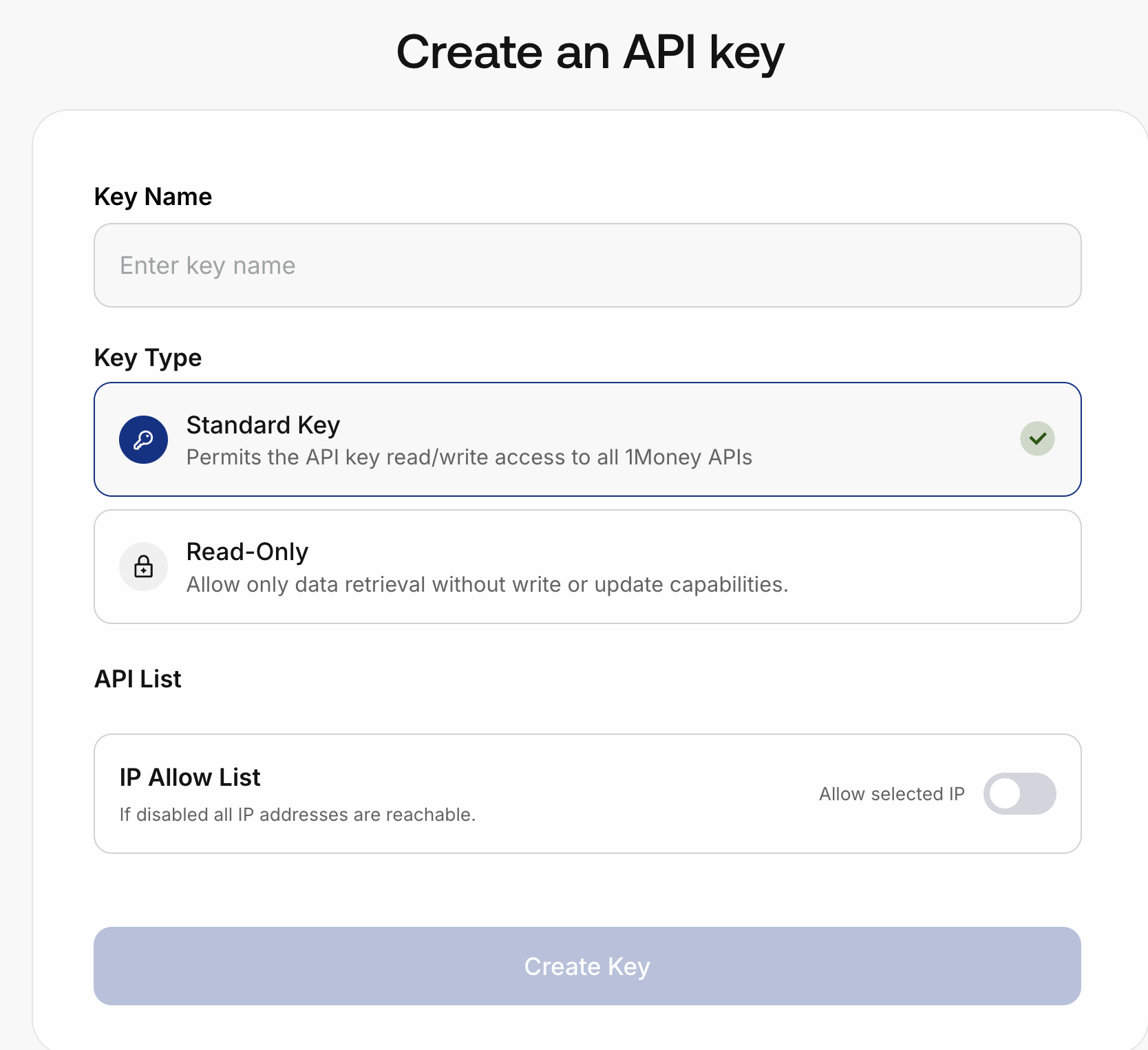
- Provide a name/label for your API key (e.g., "Backend Service", "Staging App").
- Set Key type: Read / Write or Read-only.
- (Optional) IP Whitelisting: Only allow requests from specific IP addresses.
- Create the Key!
📌 Note: Make sure to copy and securely store the API key immediately. It will not be shown again.
Step 4: Follow the guides to use API Keys
You can now access the APIs by including the API Key within the header of each request.
You can make a payment or follow our guides to perform various orchestration operations.
Updated 8 months ago
Did this page help you?