
Create a Bank Deposit Wallet
You can create a Bank Deposit "Wallet" (a Deposit Instruction) through either the API or Dashboard:
API Method:
To generate a bank deposit address, required parameters include:
- Portfolio ID
- Asset (eg, USD)
- Network (eg, ACH, WIRE)
curl --request GET \
     --url 'https://sandbox-api.1money.com/v1/portfolios/portfolio_id/instruction?asset=USD&network=US_ACH' \
     --header 'X-Api-Key: 123445' \
     --header 'accept: application/json'
Sample Response for USD, ACH Bank Deposit Instruction:
{
  "asset": "USD",
  "network": "US_ACH",
  "instruction": {
    "bank_name": "Sample Bank Name",
    "routing_number": "121140399",
    "account_holder": "1Money",
    "account_number": "123-456789-0",
    "memorandum": "AC:0D123C4EE0F5",
    "account_identifier": "0d123c4ee0f5",
    "bic_code": "SSBAUS32",
    "wallet_address": "0xa0C0f8248487B8f5bF2e9715d966CF29A704a494",
    "transaction_fee": "0.0005"
  },
  "address": {
    "full_address": "490 2nd St Suite 300, San Francisco, CA 94107",
    "country_code": "USA",
    "address_line1": "490 2nd St",
    "address_line2": "Suite 300",
    "city": "San Francisco",
    "region": "CA",
    "postal_code": "94107"
  },
  "transaction_action": "DEPOSIT",
  "created_at": "2025-08-21T07:56:57.981Z",
  "modified_at": "2025-08-21T07:56:57.981Z"
}
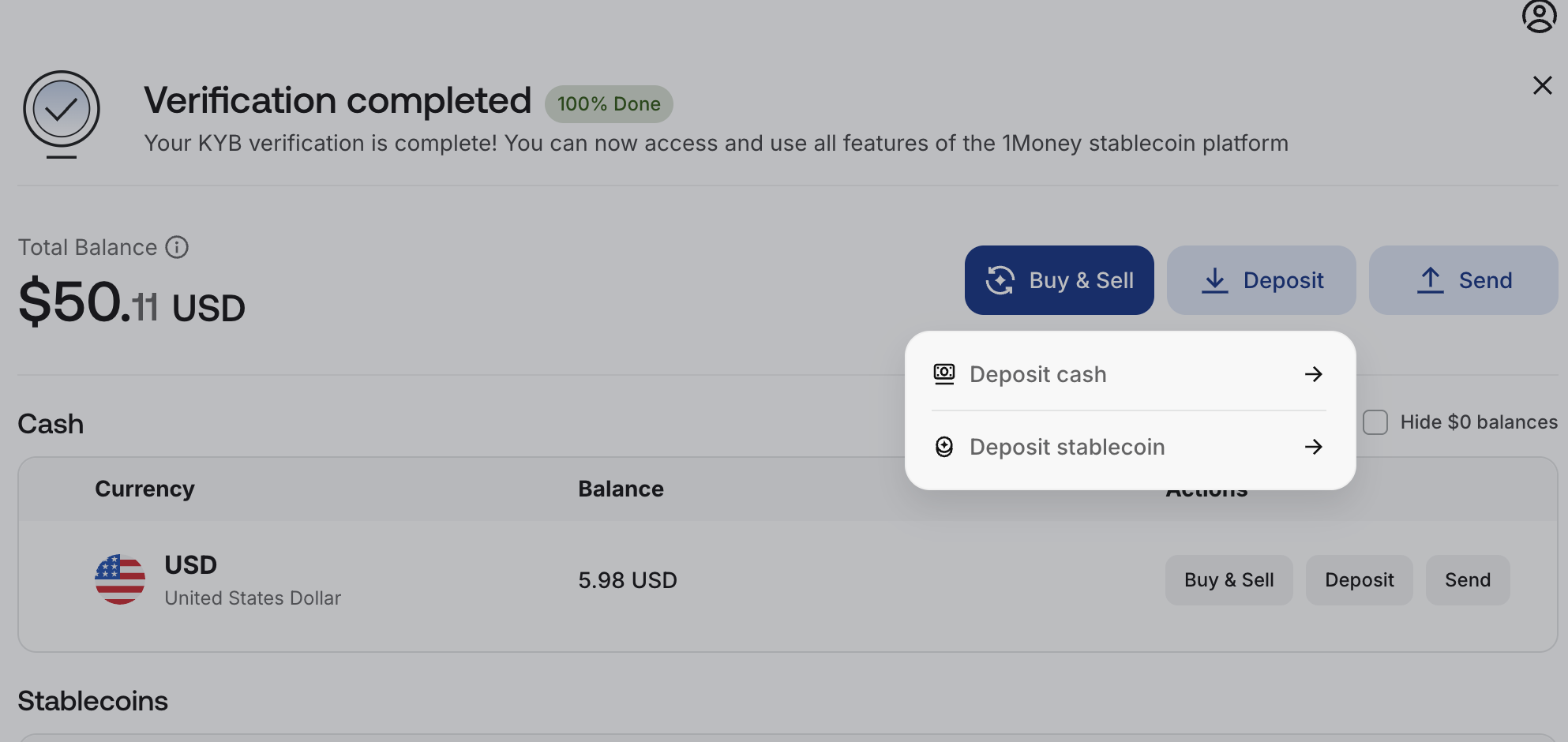
Dashboard UI:
You can also create a Bank Deposit Instruction via the Dashboard UI:
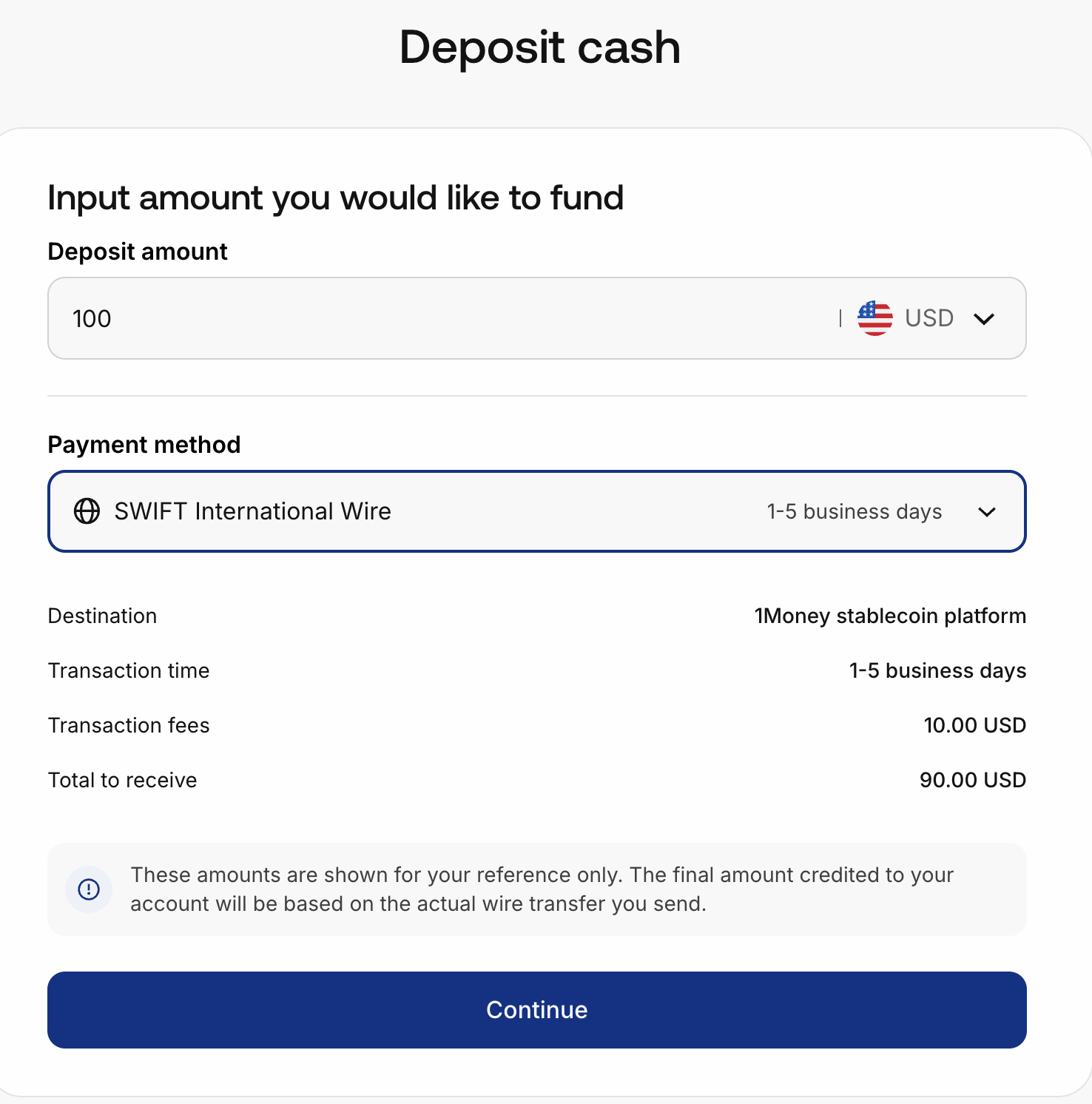
- Deposit Amount
- Payment method (ACH, SWIFT etc)
You can now configure a Webhook to detect incoming transfers to your account.
Updated 3 months ago